

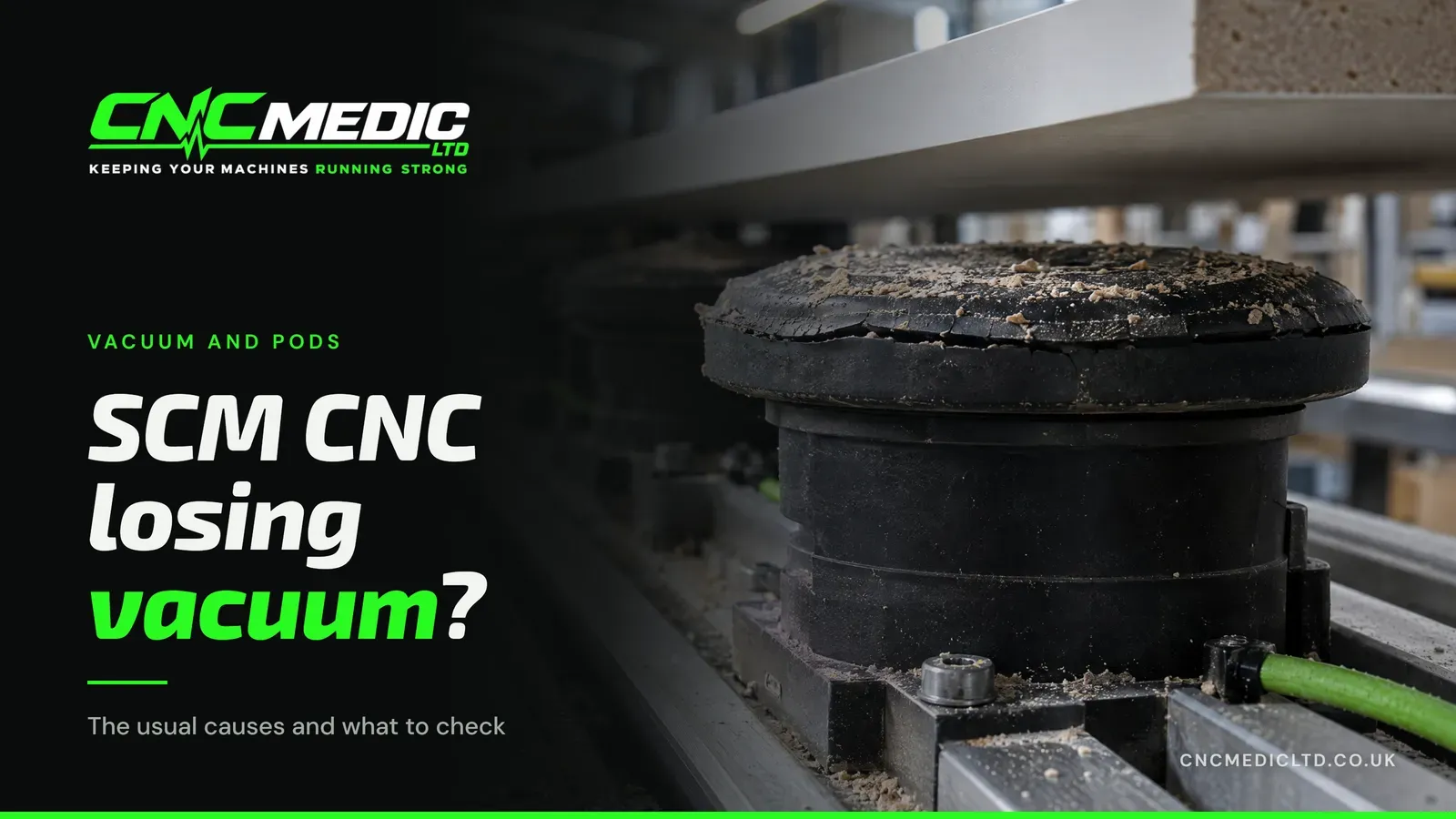
An SCM CNC losing vacuum usually has air getting in at one of five places: the pod seals, a badly seated pod, the hoses and valves between the pods and the pump, the pump itself, or the panel. Some of those you can rule in or out yourself with nothing more than a cloth and your eyes.
I'm Paul. I've spent over 17 years on CNC machinery, seven of those years employed by SCM Group UK itself. Nothing on a pod machine works without vacuum, so it pays to find the leak quickly.
How do you know it's a vacuum problem?
Sometimes it's obvious: a panel slides off the pods halfway through a cut, or a small part gets thrown. More often it creeps up on you. Edges that used to come off clean start showing chatter. A part is a millimetre out where it never used to be. If you find yourself adding pods to make a job hold, treat that as a symptom too.
If you run a lot of small parts, you may notice it there first, because a small part has very little area holding it down once it's cut free of the sheet.
Watch the vacuum gauge, or the reading on the control if your machine shows one. If the reading you see every morning has dropped, even a little, write it down. A number is far more use to me on the phone than "it doesn't feel right".
Then ask one question: is it one pod, a few pods, or the whole bed? That single answer splits the problem in half.
Why is my SCM CNC losing vacuum?
The pod seals are worn, cut or hard
Seals are the simplest thing to check. Every pod has a rubber seal on top that grips the panel, and the pod has to sit tight on its base. That rubber lives a hard life. It gets cut by a tool that went a little deep, nicked by swarf, squashed by heavy sheets being dragged across it, and it slowly hardens with age. A hardened seal looks fine from a distance but no longer grips, and a tiny split lets air in all day long.
If the trouble follows particular pods, the pods are your answer. Swap a suspect pod with one from a part of the bed that holds well: if the weak spot moves with the pod, you've found it.
A pod is badly seated or only half covered
A pod that sits slightly off its base, or one with a chip of MDF trapped underneath, will leak. So will a pod that is only partly under the panel, drawing air in round the exposed edge. On a busy shift, with pods moved for every new job, it's an easy thing to miss. Check this before you buy anything, and check it again after a job change, when pods have been moved around in a hurry.
There's a leak between the pods and the pump
If the whole bed is weak, look further back. The vacuum travels through hoses, fittings and valves before it gets anywhere near a pod, and any of them can let air in: a hose that has perished or been crushed, a fitting that has worked loose, a valve that sticks part open. A leak like this can sometimes be heard as a hiss from the operator's position when the vacuum is on and the workshop is quiet. Listen from there; don't go reaching in.
The pump isn't pulling what it used to
The pump does the actual work, and it wears like anything else. A blocked filter is the simple one, because dust always finds its way back towards the pump. Beyond that, a pump that runs hotter or louder than it used to, or takes longer to pull down, is telling you something. This is engineer territory, not something to strip down between jobs.
The panel is the problem, not the machine
Sometimes the machine is fine. A bowed sheet only touches the pods in places. A rough or textured underside won't seal. Small parts may not cover enough pod area to hold once they're cut free. If the problem only shows on one batch of material, or one job, look at the material and the pod layout first. Running the same program on a flat, fresh sheet is a quick way to tell the two apart.
What can you safely check before you ring?
None of these needs a tool or a cover off. Do the first four with the machine stopped and isolated, following your own workshop's procedure. The last two happen in normal running, from the operator's position.
- Look at the pod tops. Cuts, splits, swarf stuck in the rubber, or rubber that has gone hard and shiny.
- Wipe the pods and the underside of the panel. Dust and chips between the two are enough to break the seal.
- Check every pod sits flat and square on its base, with nothing trapped beneath it.
- Make sure every active pod is fully under the work.
- Note the gauge reading and compare it with what it normally shows.
- Try a different sheet. If a flat, clean panel holds and the last batch didn't, the material is part of the story.
If you've done all that and it's still weak, stop there. The rest is my job.
New pods, or a repair?
If the trouble follows certain pods and their rubber is tired, the fix is new pods. I keep SCM and Morbidelli replacement vacuum pods in two stock sizes:
- Low pod, 145 x 55 x 23.2 mm: £40 plus VAT.
- Tall pod, 145 x 55 x 43.2 mm: £75 plus VAT.
Odd sizes can be made: measure an existing pod in millimetres, all three dimensions, and I'll come back with a price. If you'd rather I fitted them, say so with the order and we'll sort a time.
If the whole bed is weak and the pods look fine, the problem is upstream: the hoses, the valves or the pump. That's a breakdown repair. Before any work starts you'll know what's wrong and what the repair will cost. After the repair it's recalibrated, and I run the machine before leaving so you're not left guessing.
How do you stop pods wearing out so fast?
Pods wear out in the end, but a few habits make them last longer.
- Keep pods out from under the cut. When a part is laid out, place the pods inside its outline and clear of the tool path. A cutter that breaks through the panel over a pod takes a slice out of the rubber every time.
- Lift sheets on, don't drag them. Sliding a heavy board across the bed scuffs every seal it passes over and can knock pods off square.
- Clean them at the end of the shift. A quick blow-off or wipe stops chips bedding into the rubber, where they cause slow leaks you won't spot until the gauge drops.
- Store spares sensibly. Rubber ages faster in heat and sunlight. Spare pods kept in a box, out of the way, will seal better when you need them.
- Keep a couple in reserve. One damaged pod shouldn't stop a job. Swap it, carry on, and order a replacement.
None of that needs a tool. It's the kind of thing worth showing every new operator on day one.
When should you stop working round it?
The temptation with weak vacuum is to keep going: slow the feed, add a pod, run the small parts on a different job. That gets the order out, but the cause is still there, and a panel that moves mid-cut can cost you a sheet, a tool or worse.
So if the gauge reading keeps drifting down after you've cleaned and checked the pods, or the whole bed is weak, stop and ring. If the machine is otherwise due attention, I also do machine servicing at £500, and the call is a good time to talk about both.
What to tell me when you ring
The more I know before I come out, the quicker it gets fixed. Have these ready:
- The machine: make, model and roughly how old it is.
- What it's doing: parts moving, the gauge reading low, an error on the screen, the cycle stopping.
- One pod, a few pods, or the whole bed.
- What the gauge normally reads and what it reads now.
- When it started, and whether anything changed around then: new material, a crash, a hose knocked.
- The size of your pods, if you think it's them.
Some faults can be cleared over the phone, especially if it turns out to be a setup or software issue rather than a worn part. If it can't, I'll come out.
I know SCM and Morbidelli machines best, vacuum systems included. If your SCM CNC is losing vacuum, ring me on 07904 610916, or ask me to ring you back.