
When a CNC axis won't home, the control either can't see the switch it uses as its starting point, or the axis can't physically get there. Most of the time the cause is a home sensor, a damaged cable, a drive that has tripped on an alarm, or something mechanical. The message on the screen is the best first clue.
I'm Paul. My whole working life, over 17 years of it, has been CNC machinery, and for seven of those years SCM Group UK paid my wages. My call-back form lists a stuck or non-homing axis as one of its options, because it's one of the reasons workshops ring. Below: what's going on inside the machine, what you can look at without putting yourself at risk, and what happens once you've called.
What is the machine actually doing when it homes?
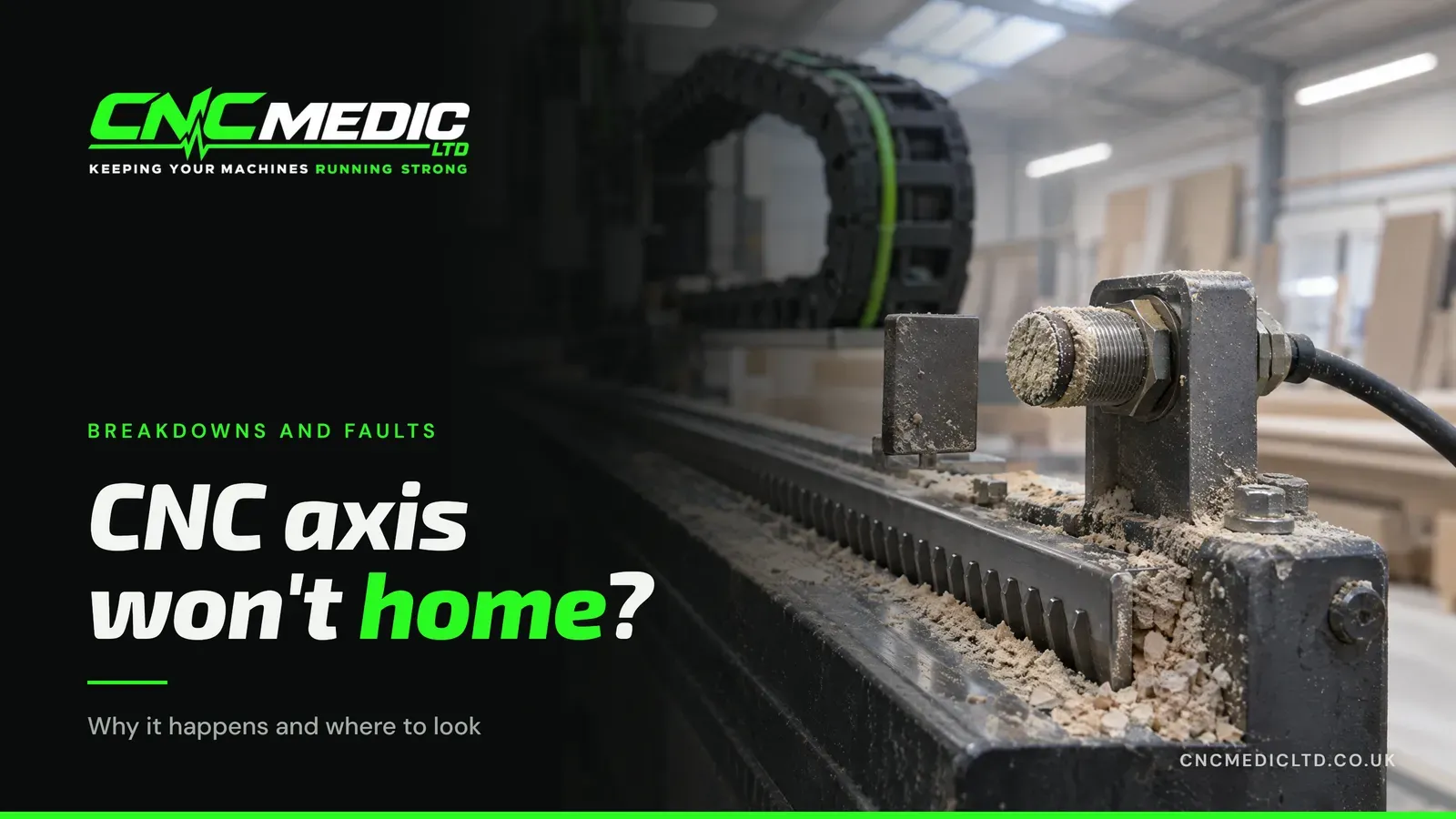
When the control powers up, it has no idea where the gantry or the head is. Homing is how it finds out. Each axis drives slowly towards one end of its travel until it trips a home switch, usually a proximity sensor that sees a small metal flag. On many machines it then backs off and creeps up to a reference pulse from the motor's encoder, which gives a more repeatable zero than the switch alone.
Only once that's done does the control know where everything sits. Your programme positions, the soft limits that stop the head running into the end stops, and the layout of your pods or bed are all measured from that one point. That's why controls normally won't run a programme until every axis has homed.
What does a failed homing cycle look like?
It usually looks like one of three things:
- The axis doesn't move at all. You press home and nothing happens on that axis, often with an alarm on the screen. Think drive fault, a safety circuit that isn't made, or the control believing the axis is already on a limit.
- It moves, but never stops where it should. The axis runs to the end, keeps going until it hits an overtravel limit, or gives up with a timeout. The control never saw the home signal.
- It homes, but not reliably. Fine on Monday, fails on Tuesday. Or it homes, but parts come out offset by a few millimetres. Intermittent faults like this usually point at a sensor, a cable or something slipping.
Which part has failed when a CNC axis won't home?
The home sensor
The sensor sits in the worst place on the machine for dust: at the end of the travel, where chips and MDF dust settle. A face packed with dust, a sensor knocked by an offcut so the gap to its flag has opened up, or a sensor that has simply died will all give you the same symptom: the axis runs and runs, and the control never gets its signal. Many of these sensors have a small light that comes on when they see the flag, which shows whether the sensor is seeing the flag at all, or whether the trouble is in the wiring behind it.
A cable inside the drag chain
Every time the gantry moves, the cables in the drag chain flex. Over years, the copper inside can break from all that bending before anything shows on the outside. A break like that can make contact in one position and lose it in another, which is why a homing fault can come and go. A chain that has snagged or jumped its track can also damage a cable in an afternoon.
A servo drive or motor alarm
If the drive for that axis has tripped, it won't move the motor, so the axis won't home. Drives trip for a reason: an overload because something is binding, an encoder fault, a supply problem. Clearing the alarm and trying again might get it moving, but if the cause is still there it will trip again, sometimes mid-job. The code on the drive or the screen is what I need to see.
Something mechanical
If the motor turns but the axis doesn't follow properly, the problem is between the two. A worn drive pinion, a toothed pulley that has started to slip on its shaft, a stretched belt, a tight bearing or a linear guide that has gone dry and stiff. The control sees the axis lagging behind where it told it to be and stops with an error, or the axis homes but the position it settles on has shifted. These faults rarely arrive out of nowhere: looseness you could feel, a new sound, or cuts slowly wandering off size usually came first.
A knock the gantry took earlier
A crash doesn't always stop a machine at the time. Plenty of routers drive the gantry from both sides, one motor at each end. Hit something hard enough and one side can slip a tooth or shift on its shaft while the other doesn't, leaving the gantry slightly out of square. It might carry on cutting for days, then refuse to home, or home with one side reaching its switch well before the other. If the trouble started the week someone ran a tool into a clamp, tell me.
Lost position or settings
Some machines use absolute encoders that remember their position with a small backup battery. When that battery runs flat, the drive forgets where it is and the control asks for the axis to be referenced again, often after a battery warning that's been on the screen for weeks. Changes to the control's parameters, after a software update or someone exploring the menus, can also stop an axis homing properly. A parameter change is the kind of setup problem that can sometimes be sorted on the phone.
What should you note down while the machine is stopped?
You won't need a toolbox or an open cabinet for any of this, and nothing here means reaching into the machine:
- Write down the error exactly. The number and the wording. Better still, take a photo of the screen, and of the drive display if your machine has one.
- Note which axis. X, Y, Z, or one of the others. Is it always the same one?
- Note how it failed. Did it sit still, run past where it should stop, or home and then cut parts off size? Each of the three patterns above points at different parts of the machine.
- Check the safety circuit is made. Every emergency stop released, doors and guards closed, safety mats clear, then reset. A broken safety circuit stops movement and can look like a homing fault.
- Look along the axis for anything in the way. An offcut, a pod left on the rail, a build-up of chips at the end of the travel, a drag chain that has jumped its track. Look; don't reach in.
- Think about what changed. A crash, a power cut, the machine being moved, a software update, someone new on the control.
Don't jog the axis by hand to see whether it moves. Until it has homed, the soft limits that normally stop it short of the ends aren't working on most controls, and on a gantry driven from both sides it can pull the gantry further out of square.
Anything past that list, inside the electrical cabinet or the machine guarding, is my job. Not yours.
What happens once you've called me?
The person picking up is me, the same engineer who'd do the repair, so the notes you made go straight to the one who uses them. The make, model and control of the machine help too.
Plenty of setup and software problems get sorted during that call. When one needs a visit, I track down the cause and give you the diagnosis and the price up front, before any work starts. Then the repair, recalibration, and a test run before I go. That's how every breakdown repair I do works.
SCM and Morbidelli machines are where my knowledge runs deepest. I also sell and look after Hua Hua machines, and work on other brands that run Syntec controls. Got something different? Call and describe it. There's more about my background on the about page.
Why does a homing fault keep coming back?
Because the cause was never found. A sensor gets wiped and works for a fortnight. A drive alarm gets reset and the machine runs until the binding axis trips it again. An intermittent cable gets worse, not better. Each time, it stops when you've got a job on.
A lot of what ends in a homing fault, a dry guide, a slipping pulley, a tired cable, shows up long before it stops you. That's what a machine service is for. It's £500, and it's where those warning signs get found.
If your axis won't home right now: it's stopped. Call 07904 610916 with the error in front of you, or leave your number for a call back and say what the screen shows.